Using ConnectEase with Microsoft Excel

Open Microsoft Excel as you would normally.
From the Excel main menu, pull down the Data menu selection. Select Get External Data from the Data menu selection. Another menu selection box appears. Select Create New Query.
The Choose Data Source dialog box appears.
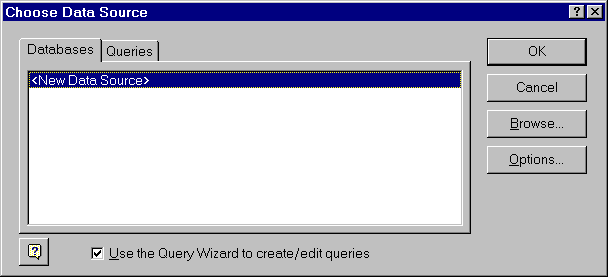
Click on New Data Source and then click the OK button.
The Create New Data Source dialog box appears.
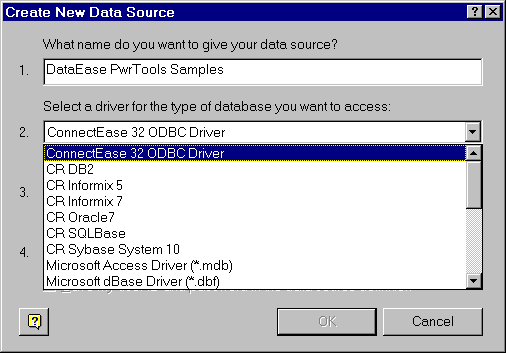
Type in the name for your new data source in field 1. Then, from the offered list, click on ConnectEase ODBC Driver.
Click on Connect. The following Database dialog box will appear.
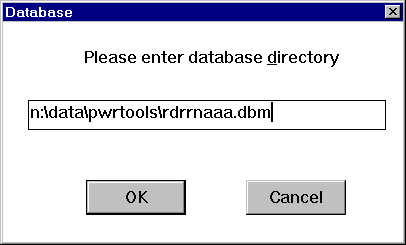
Type in the requested parameters. When done, click on OK. The Login to Database dialog box will appear next.
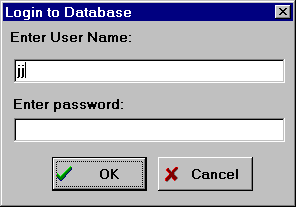
Fill in the User Name and Password fields, then click on OK.
The Create New Data Source window appears. Double-click on the table that you want to access.
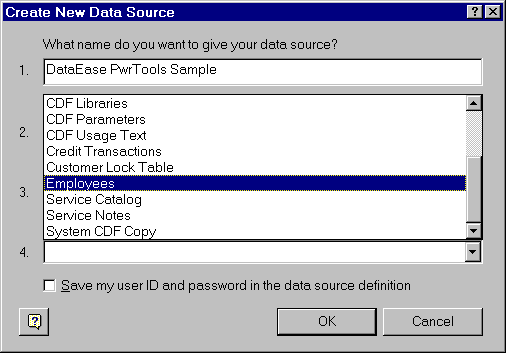
The Create New Data Source window changes to appear as the follows.
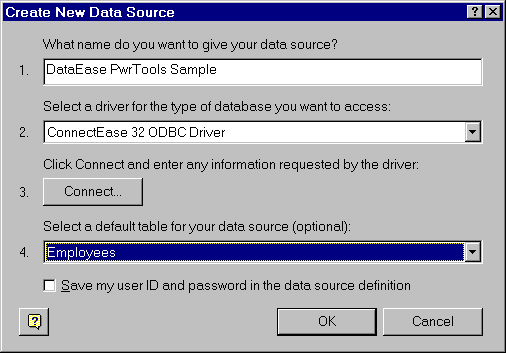
Select OK. The Choose Data Source window appears.
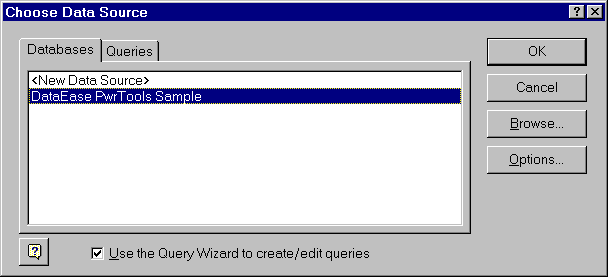
In the Choose Data Source selection window, click on the data source you just created. Press OK.
The Query Wizard - Choose Columns window appears.
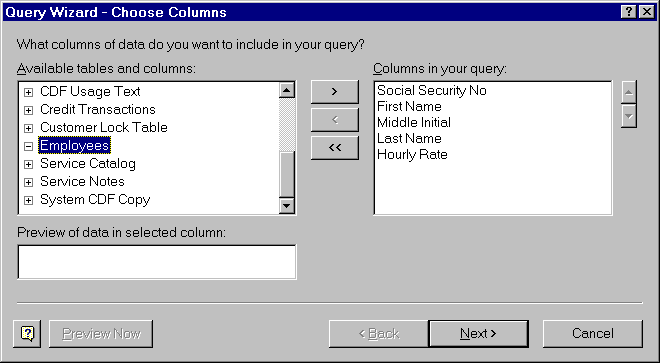
Double-click on the table that you want to access to open the list of available fields. Click on the fields that you want to select and then click on the ">" button to add the columns to the query. Then click the Next button.
The Query Wizard - Filter Data window will open.
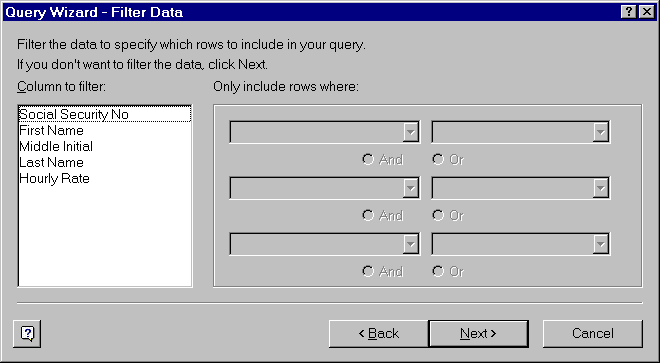
In this example, no filtering is necessary, so click on the Next button again. The Query Wizard - Sort Order window will appear.
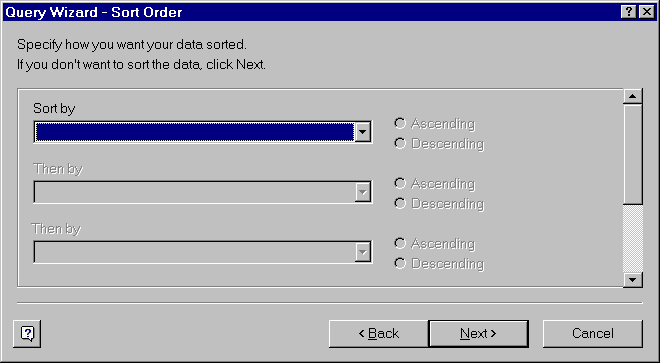
No sorting is necessary in our example, so click on the Next button again. The Query Wizard - Finish will appear.
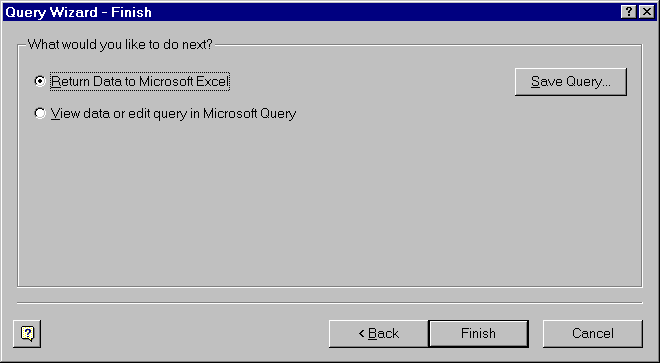
In the Query Wizard - Finish dialog box, click the Finish button to return to MS Excel. You will be returned to Excel to a place where the queried data is displayed. See below.
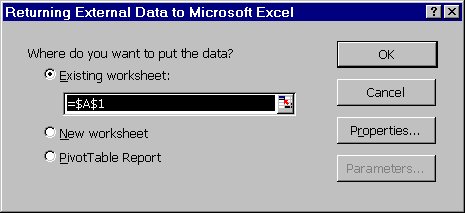
Click the OK button and the query is completed. A spreadsheet similar to the following should appear.
.
Copyright ©1997 by montreaux media corporation - ALL RIGHTS RESERVED